Documentation workflow for home health & hospice

Finish OASIS-E2 and HOPE documentation in less time — without giving up the final say.

Dictate the visit and MediScribe Flow drafts structured documentation — OASIS-E2 for home health, HOPE for hospice — with the supporting evidence shown for every item. Practitioners review, correct, and deliver securely, responsible for the assessment at every step.

HIPAA-aligned safeguards Practitioner-controlled review Secure delivery
MediScribe Flow web app on desktop showing the clinical workspace — a Recent Notes list, a Document Preview of a lab report, and an AI Summary panel with key findings, a care plan, and secure sharing (sample data).
Spoken visitDictated in the field, in your language
Structured OASIS-E2 & HOPE draftEvidence shown for every item — you review & deliver
Built for hospice & home health teams Encryption in transit & at rest Role-based access controls Audit trail for oversight

How it works

One workflow, from the visit to secure delivery

MediScribe Flow connects field capture, structured documentation, clinician review, and secure delivery into a single, dependable workflow.

1

Dictate in the field

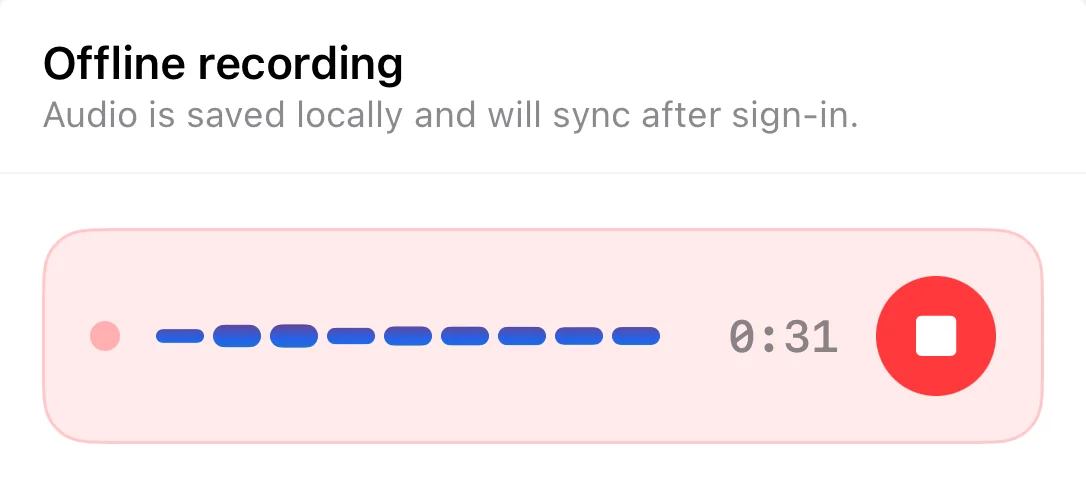
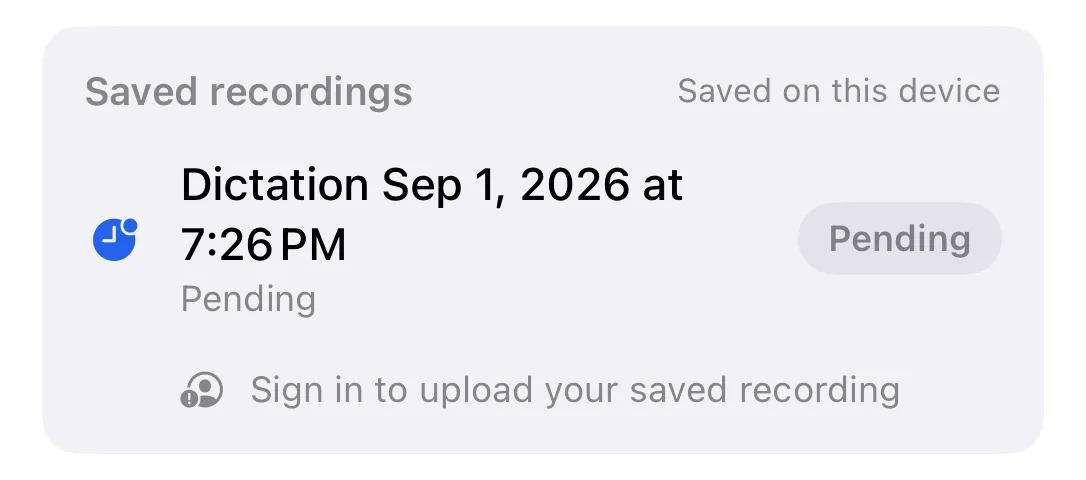
Dictate the visit narrative from your phone, in the language you prefer — during or between visits. Recording starts and stops only when you say so, and audio is saved on your device first.

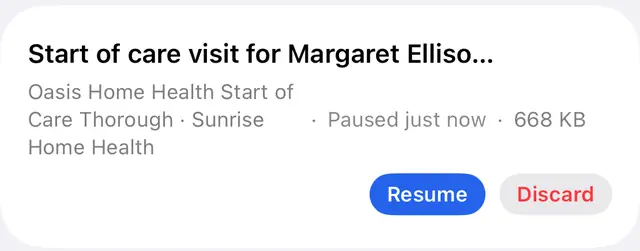
Dictation in progress in the MediScribe Flow mobile app, with audio captured locally first (sample data).
2

Structured documentation

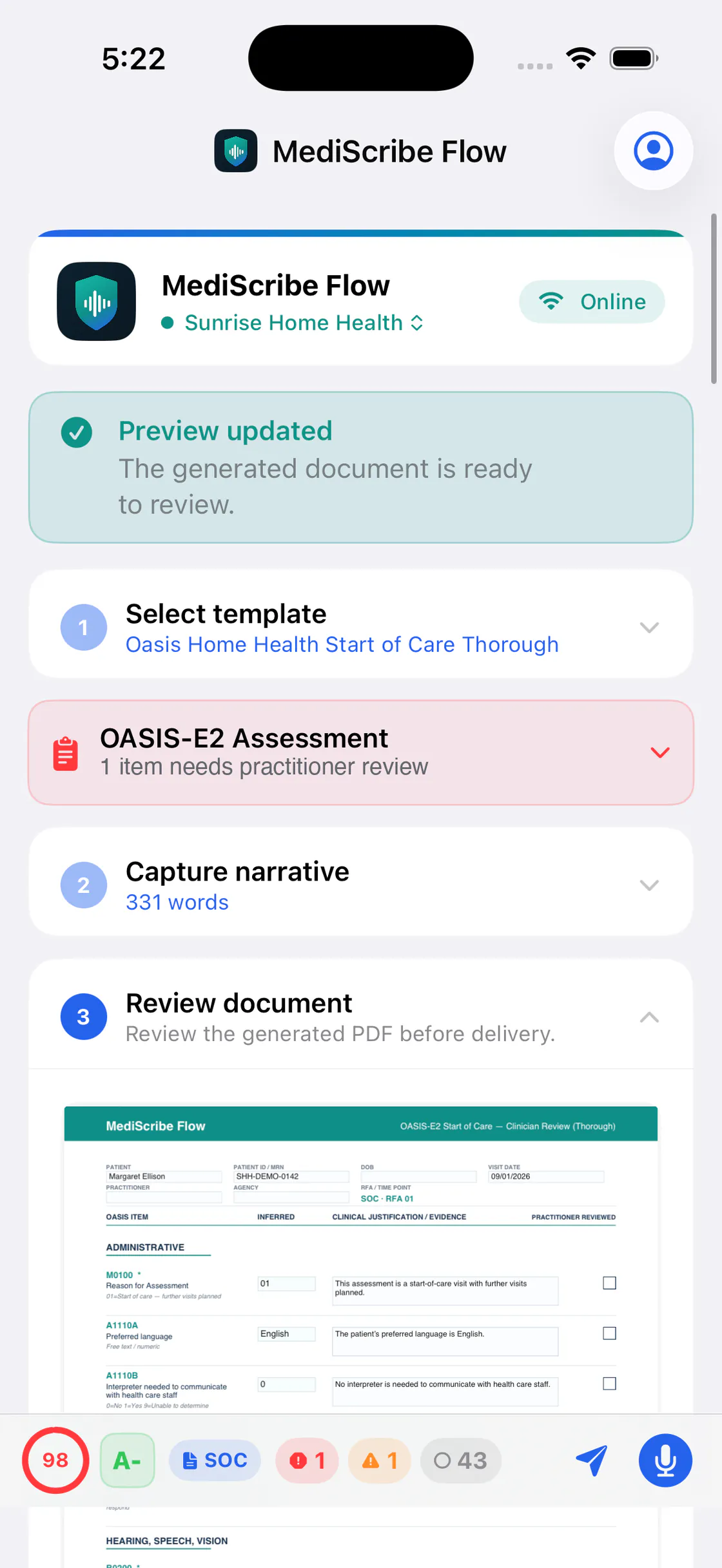
AI drafting turns the dictated narrative into consistent, structured documentation guided by the templates your team uses — OASIS-E2 and hospice HOPE included.

Structured OASIS document generated from a dictated narrative (sample data).
3

Review with evidence

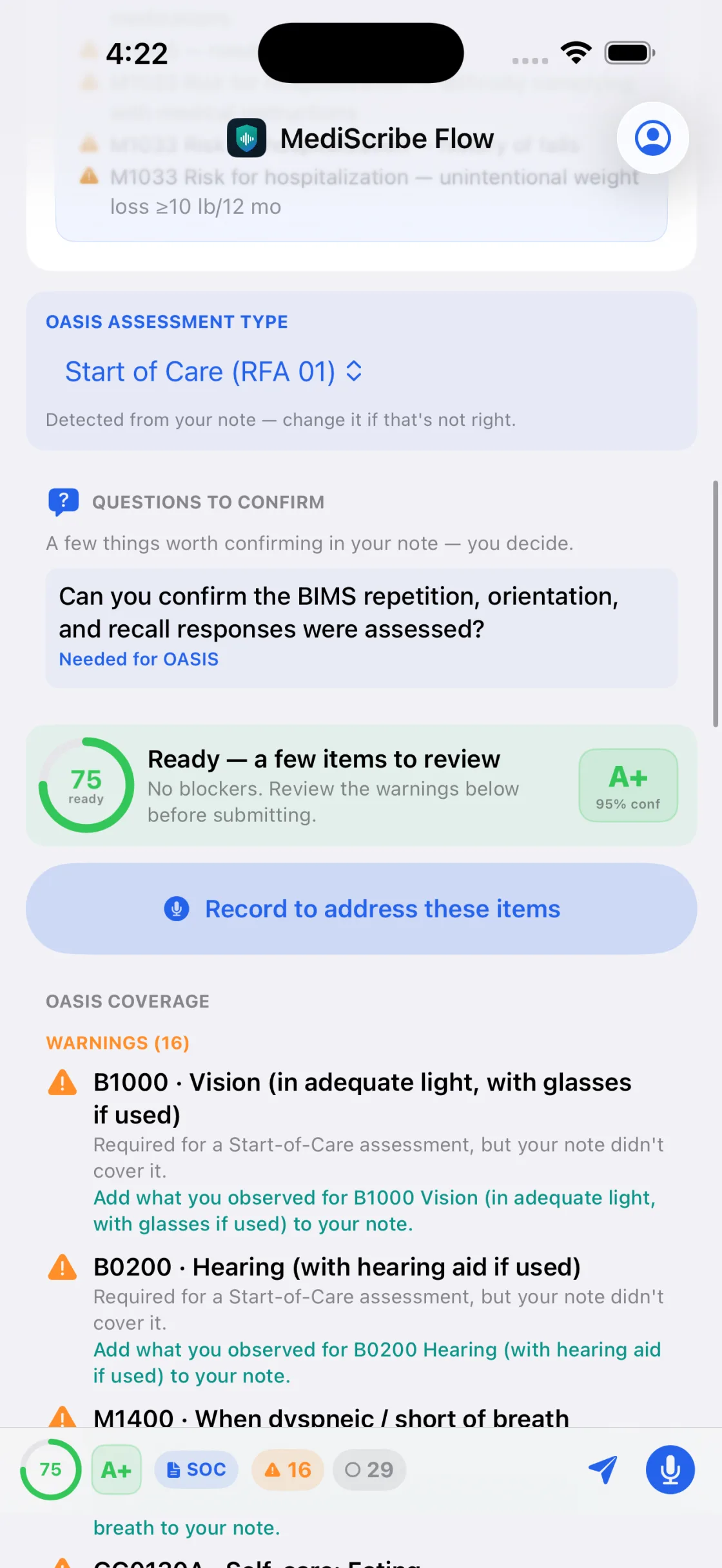
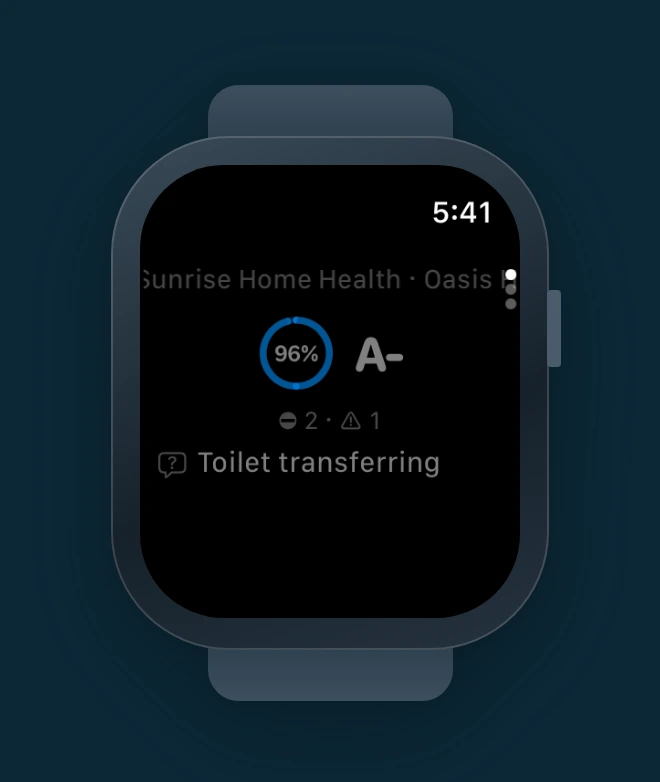
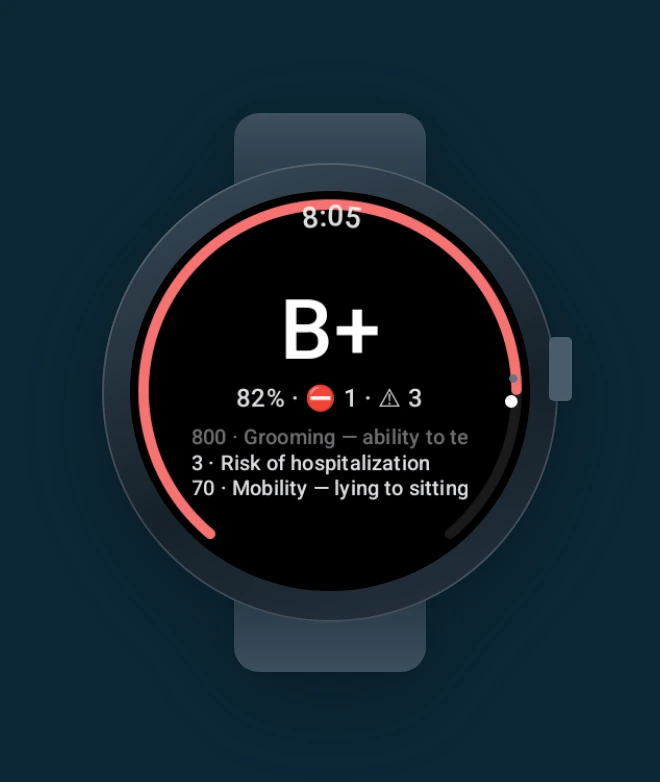
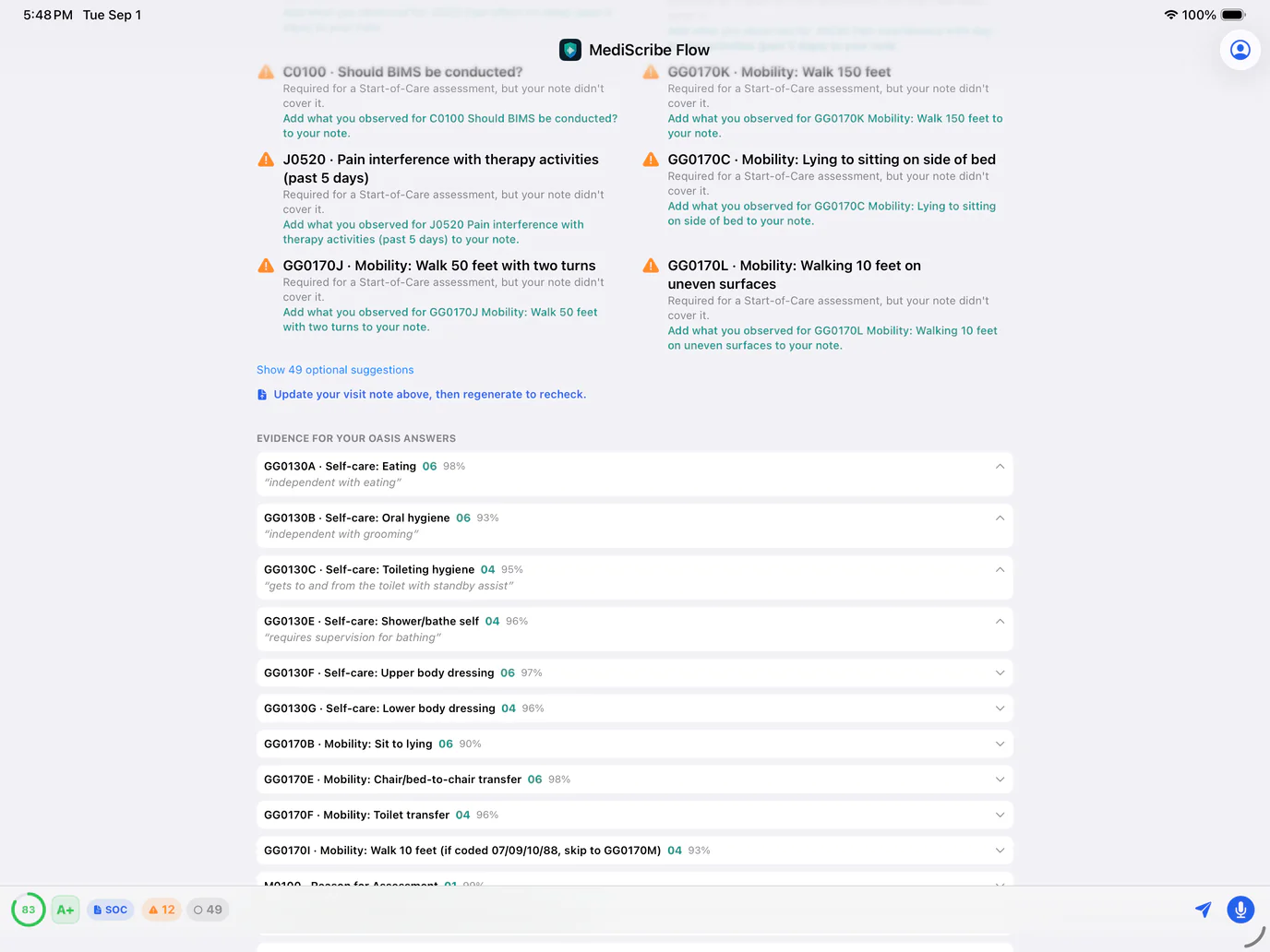
Preview the generated PDF and check the coverage coach — a readiness score, an evidence grade, and per-item guidance drawn from your own narrative — before anything is finalized.

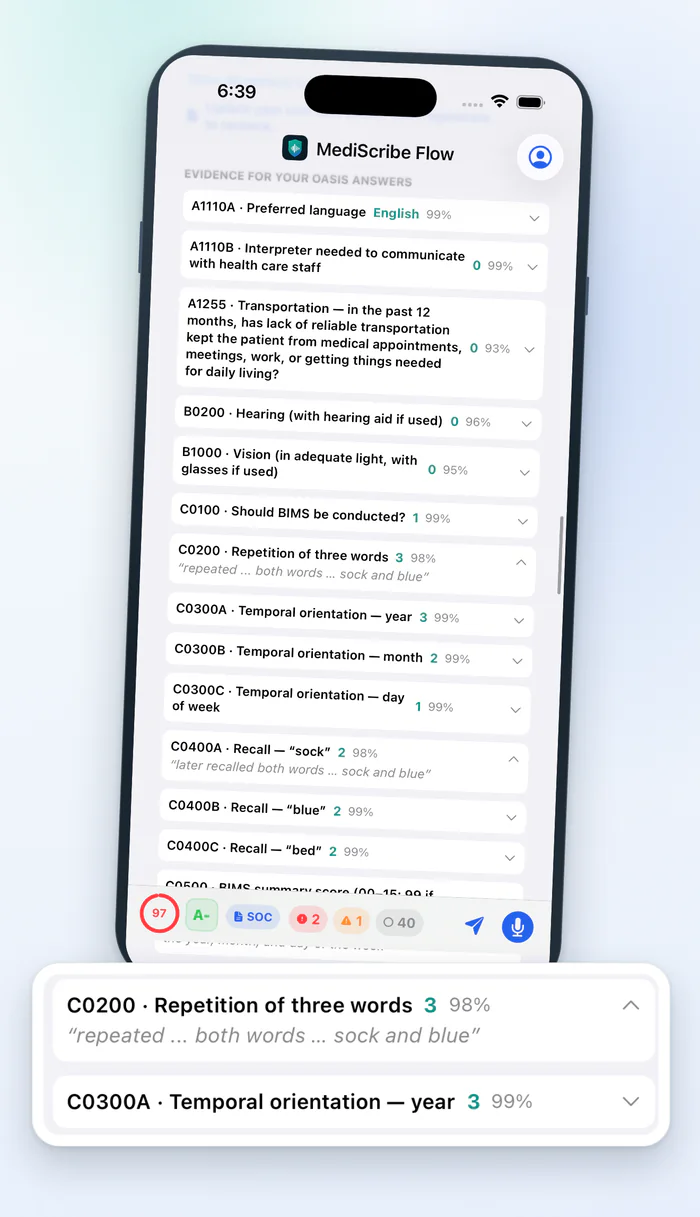
OASIS coverage coach showing a readiness score, evidence grade, and items that need attention (sample data).
4

Deliver securely

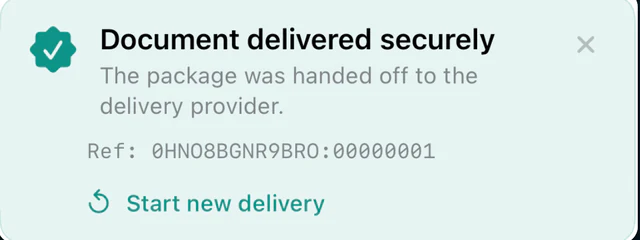
Send completed documentation through controlled, secure delivery — with recipient access controls, a sent receipt, and a reminder if you've dictated since sending.

Secure delivery step with recipient controls in the MediScribe Flow mobile app (sample data).

OASIS-E2 & HOPE

Two instruments, one documentation workflow

The same dictate → draft → review → deliver workflow supports both federal assessment instruments as first-class citizens — OASIS-E2 for home health and HOPE for hospice. Each turns the visit narrative into structured documentation with the supporting evidence shown next to every item, designed to help practitioners review their own documentation, not to replace their judgment.

Home health · OASIS-E2

OASIS-E2-oriented review for home health

Turn the visit narrative into structured documentation reviewed against OASIS-E2-oriented templates, using current OASIS-E2 item codes and response values where configured — designed to help practitioners review against OASIS-E2 assessment items, not to replace their judgment.

Capture the visit narrative

Practitioners record or dictate the visit in the field. The narrative becomes the source for structured documentation review.

OASIS-E2-oriented review

Documentation is organized for structured review against OASIS-E2-oriented templates, using current OASIS-E2 item codes and response values where configured.

Suggestions with supporting evidence

For coded items, MediScribe Flow surfaces a suggested value alongside the supporting snippet from the visit narrative, so the practitioner can confirm or correct it.

Unsupported items stay blank

When the narrative doesn't support an item, it is left blank or marked for practitioner review — never filled in with a guess.

Coverage coach before delivery

A readiness score, an evidence grade, and grouped "needs attention" items help practitioners find missing or weakly-supported information before a document is finalized or delivered. Guidance the practitioner weighs — not a validation or compliance check.

The practitioner stays responsible

Suggestions are review assistance. The practitioner remains responsible for clinical judgment, review, and the final assessment.

Hospice · HOPE

HOPE documentation, timepoint by timepoint

Hospice teams use the same dictate → draft → review → deliver workflow with HOPE templates — with calm documentation reminders the practitioner reviews, never automatic decisions.

Every HOPE timepoint

Admission, Update Visit 1 and 2, Symptom Follow-Up, and Discharge — HOPE templates structure the dictated visit narrative into hospice documentation.

Calm documentation reminders

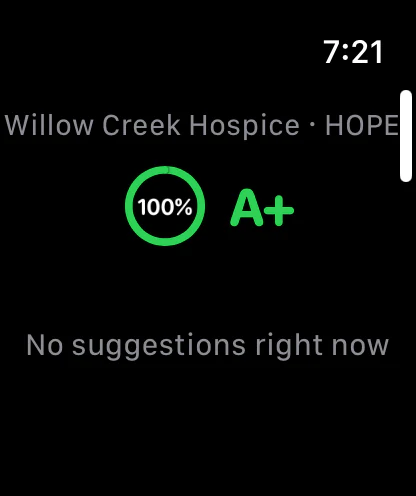
When a moderate or severe symptom is documented, a non-blocking reminder asks whether a Symptom Follow-Up Visit may need to be considered. Reminders never block your work.

Reviewed by you

Hospice documentation follows the same rule as everything else in MediScribe Flow: the practitioner reviews and decides before anything is finalized or delivered.

Documentation support, with the practitioner in charge. MediScribe Flow provides documentation workflow support and review assistance. The practitioner remains responsible for clinical judgment, review, and final documentation. Nothing is finalized or delivered without practitioner review, and OASIS-E2 and HOPE assessments are not submitted automatically. MediScribe Flow is not affiliated with, endorsed by, or certified by CMS.

Capabilities

Everything the documentation workflow needs

A complete platform for capturing, preparing, reviewing, and delivering clinical documentation — with the controls administrators expect.

Dictation built for the field

Start and stop dictation yourself — never automatic capture. Audio is saved on your device first, so nothing is lost if connectivity drops; recordings sync and transcribe when you're back online.

Multilingual dictation

Dictate the visit narrative in the language you prefer — Tagalog, for example — and MediScribe Flow prepares the structured documentation from it.

Template-guided AI drafting

AI drafting guided by your team's shared templates produces consistent, structured documentation — and every draft is reviewed by the practitioner before it goes anywhere.

PDF generation & preview

Generate polished PDF documentation and preview every page before sending, so clinicians can review and approve every output.

Honest, secure delivery

Send prepared documentation through controlled delivery — with a sent receipt for what actually went out, and a reminder when you've dictated since sending so an update is never silently left behind.

EHR filing, where supported

Where an EHR integration is available, participating agencies may be able to file the reviewed OASIS document to the patient's chart in their system of record — only after practitioner review, and only when the coverage coach shows no blocking items. Availability depends on the EHR and is set up per organization by your administrator.

Multi-agency workspaces

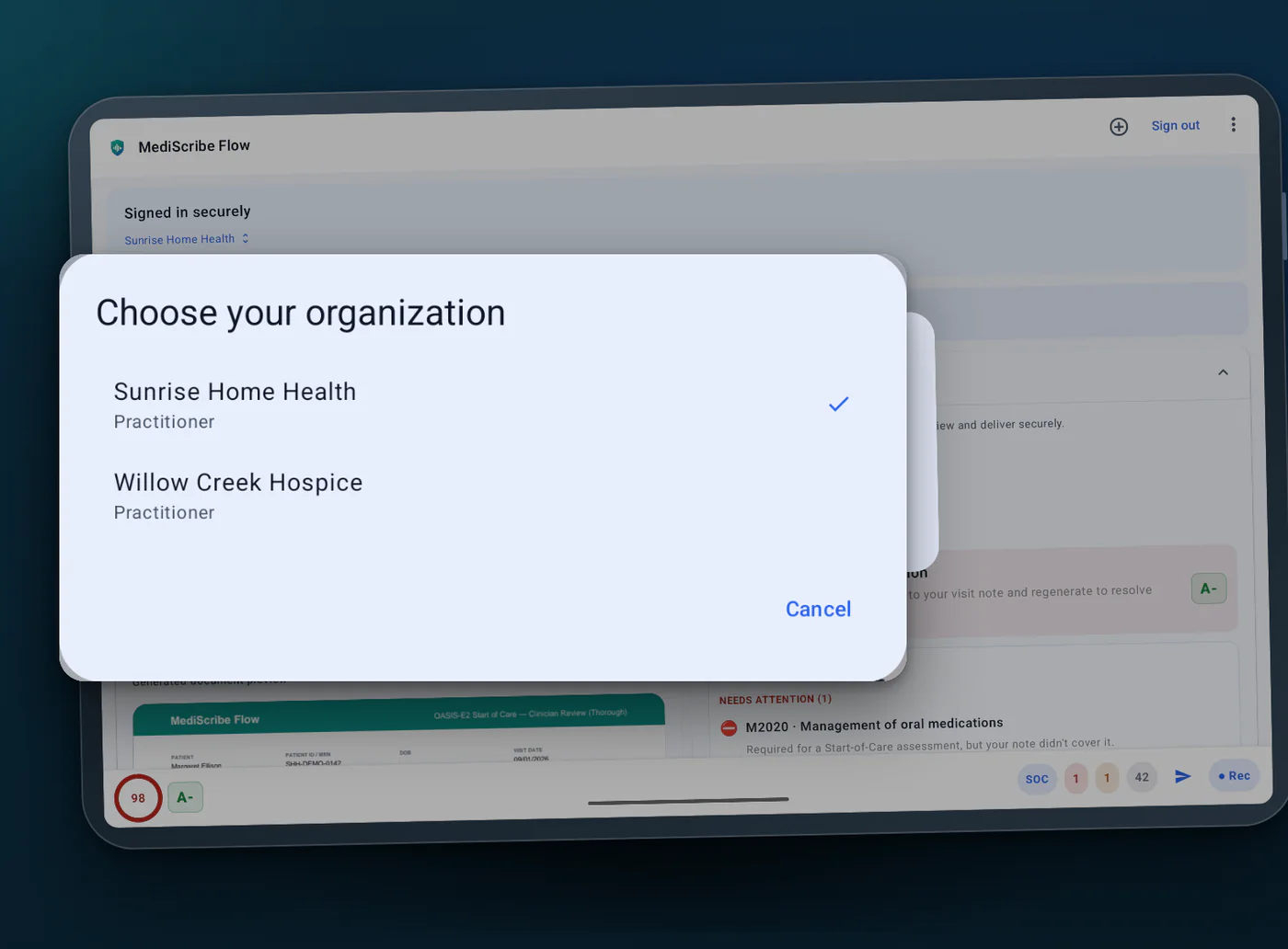
Work across multiple agencies? Switch workspaces in one tap — and if you carry a dictated note between workspaces, MediScribe Flow asks you to confirm it belongs to the right patient before generating.

Admin console & recipient controls

Administrators manage templates, members, recipients, and usage-quality views from the admin console — with oversight across the organization, and self-service access requests they approve.

Clean, complete records

Keep documentation structured, complete, and consistent to support clean records and your reimbursement workflows. MediScribe Flow does not guarantee reimbursement.

Built for clinical teams

Consistent documentation, clinicians in control

From field practitioners to clinical reviewers and administrators, MediScribe Flow keeps documentation structured and the final say with your team.

  • Shared templates keep documentation consistent across every practitioner.
  • Review and edit generated PDFs before anything is finalized or sent.
  • Administrators govern templates, members, access, and recipients from the admin console.
  • Honest delivery status: a sent receipt, plus a reminder when a newer dictation hasn't been delivered yet.
  • One platform replaces juggling separate capture, editing, and delivery tools.
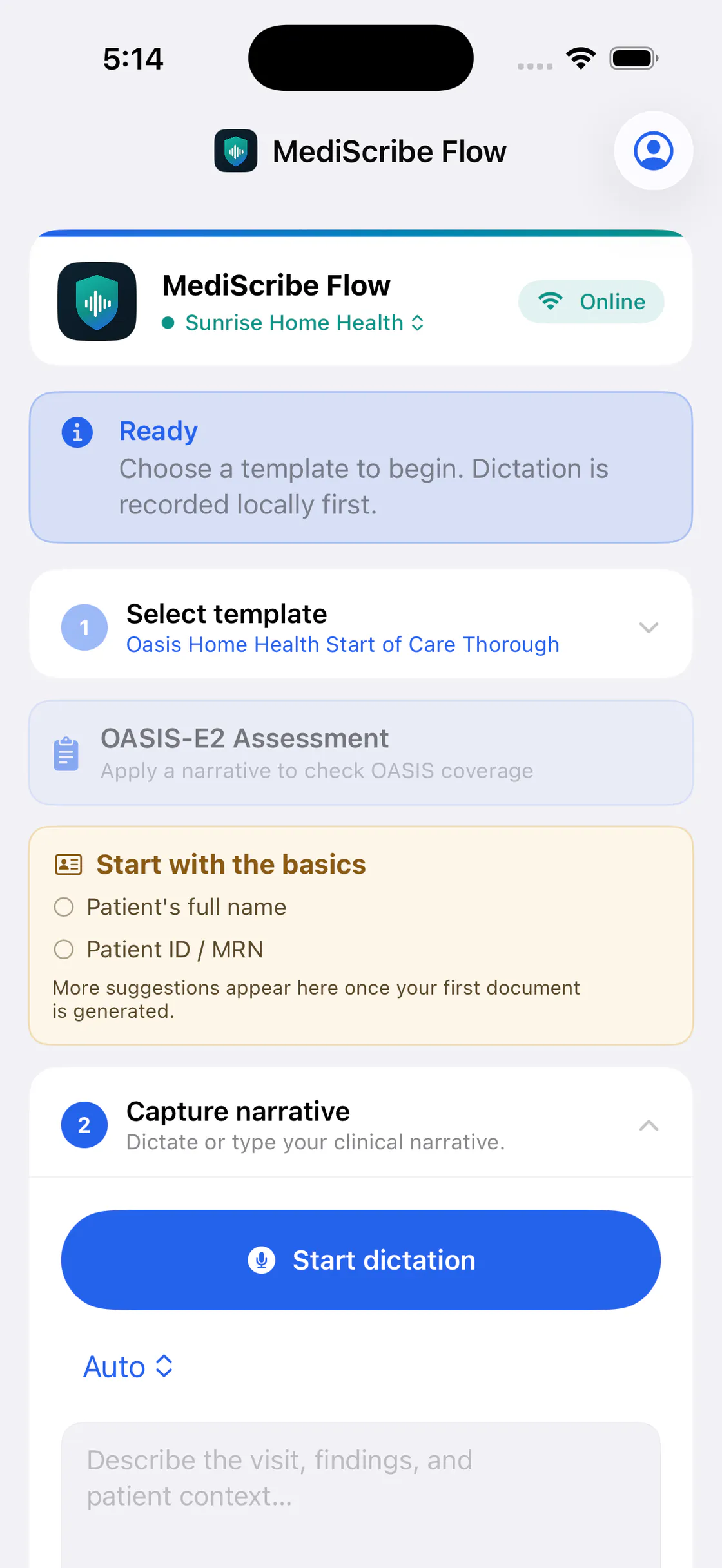
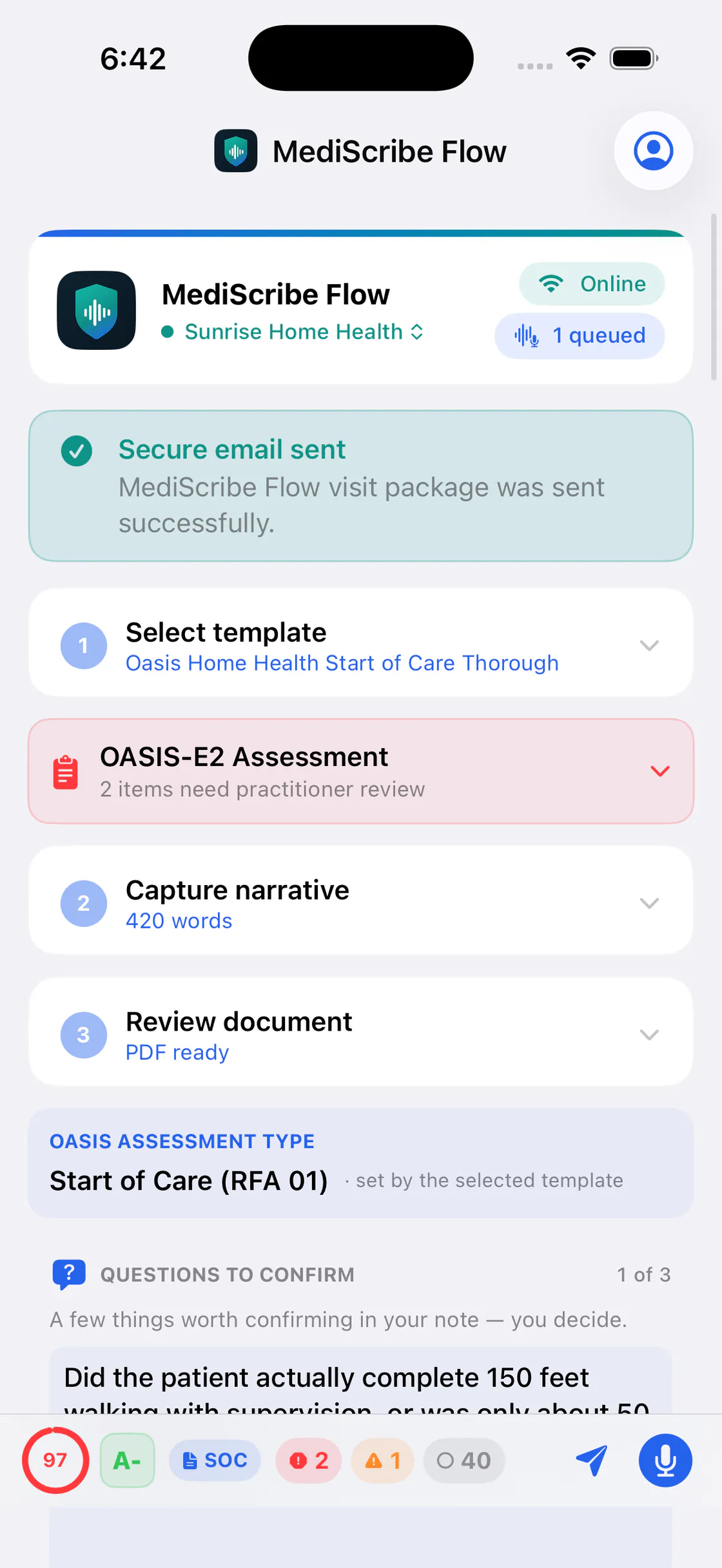
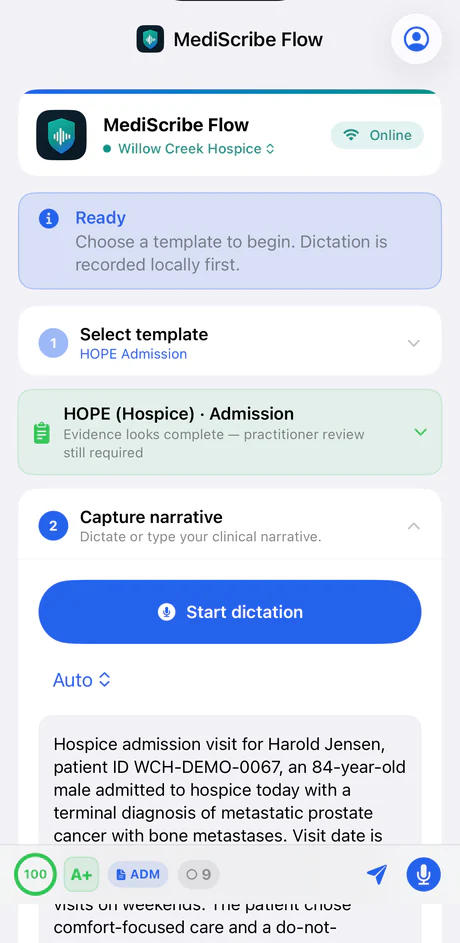
MediScribe Flow guided workspace stepping through template selection, narrative capture, and review (sample data).
MediScribe Flow running on a tablet in the field (sample data).

Mobile

Built mobile-first for the field

Care happens away from the desk. MediScribe Flow is designed mobile-first so practitioners can capture and prepare documentation between visits — on phones and tablets.

Android · Available now

The Android app is available now on Google Play.

iPhone · Available now

The iPhone app is available now on the App Store.

Prefer a bigger screen? The web app at app.mediscribeflow.com covers review, delivery, and administration from any desktop browser.

Ready to start? Log in or create an account — or request a demo for your team.

Security & compliance

Built with healthcare-grade safeguards

MediScribe Flow is designed to support HIPAA-aligned documentation workflows and to keep clinicians in control of patient information.

Encrypted in transit & at rest

Data is encrypted in transit over TLS and encrypted at rest in our cloud infrastructure.

HIPAA safeguards & BAAs

Administrative, physical, and technical safeguards aligned to HIPAA — with Business Associate Agreements executed with the subprocessors that handle PHI, and a BAA for your organization available on request.

AI under a BAA, zero data retention

Transcription and drafting run with a third-party AI provider under a Business Associate Agreement with Zero Data Retention — your content is not retained by the provider after processing, and is not used to train its models. You approve before any clinical content is sent. See our Privacy Policy.

No raw audio or transcripts kept

We don't retain raw audio or transcripts on our servers — the reviewed documentation is the output we keep. Voice recordings are deleted from our servers promptly after processing.

No analytics, cookies, or tracking

No analytics, no cookies, and no advertising or tracking SDKs — on this site or in the apps. We don't track you across other apps or sites, and we don't sell data.

PHI encrypted on device

On mobile, PHI is encrypted at rest on the device, and offline voice recordings are stored encrypted and removed once uploaded for processing.

App lock & automatic timeout

Optional biometric app lock and automatic session timeout after inactivity keep an unattended device from exposing PHI.

Least-privilege access

Role-based, least-privilege access: administrators govern who can reach templates, patients, and delivery, and each member sees only what their role needs.

Practitioner-controlled review & audit trail

Nothing is finalized or delivered until a clinician reviews and approves it, and key actions are logged to support operational oversight.

Screens and examples shown on this site use sample data only — no patient information. We're glad to review our security practices and provide a Business Associate Agreement for your organization, and to answer security or privacy questions. Read our security overview or contact our team.

Why teams choose MediScribe Flow

A documentation workflow your organization can rely on

One workflow, end to end

Capture, document, review, and deliver in a single platform — no juggling separate tools.

Consistency across your team

Shared templates keep documentation structured and consistent for every practitioner.

Clinicians stay in control

Review and approve every document before it is finalized or delivered.

Built for the field

Mobile-first capture designed for the realities of hospice and home health visits.

Clean & complete

Structured, complete documentation that supports your clean-records and reimbursement workflows.

Administrator oversight

Govern templates, access, and recipients across the whole organization.

FAQ

Questions, answered

What is MediScribe Flow?

MediScribe Flow is a clinical documentation workflow platform for home health and hospice — not just a scribe. Practitioners dictate the visit, AI drafting structures it into the documents their team uses, the practitioner reviews the draft with supporting evidence, and the finished document is delivered securely — with the practitioner responsible for review and approval. Mobile clinical teams use it too.

Does MediScribe Flow support OASIS?

MediScribe Flow supports home health documentation workflows using OASIS-E2-oriented review templates and current OASIS-E2 item codes and response values where configured. A coverage coach shows a readiness score, an evidence grade, and grouped items that need attention — each suggestion paired with the supporting evidence from the visit narrative. Unsupported items stay blank or are marked for practitioner review. The practitioner remains responsible for clinical judgment and the final assessment. MediScribe Flow is not affiliated with, endorsed by, or certified by CMS, is not OASIS-E2- or HOPE-certified, is not certified by any EHR vendor, and does not submit OASIS-E2 or HOPE assessments automatically.

Does MediScribe Flow support hospice HOPE?

Yes. HOPE templates cover the Admission, Update Visit 1 and 2, Symptom Follow-Up, and Discharge timepoints, with non-blocking documentation reminders — for example, a note when a moderate or severe symptom is documented and a Symptom Follow-Up Visit may need to be considered. Reminders are for the practitioner to review; they are never automatic decisions. MediScribe Flow is not affiliated with, endorsed by, or certified by CMS, is not HOPE-certified, and does not submit HOPE assessments automatically.

Does MediScribe Flow use AI?

Yes. Transcription and document drafting use AI processing on MediScribe Flow servers, with a third-party AI provider under a Business Associate Agreement (BAA) as a service provider. The app asks for your approval before any clinical content is sent for processing, and the disclosure is available in the app at any time. Every generated document is reviewed by the practitioner before it is finalized or delivered.

Is MediScribe Flow secure and HIPAA-aligned?

It is designed to support HIPAA-aligned workflows, with encryption in transit and at rest, role-based access controls, recipient controls, audit logging, and practitioner-controlled review. The apps offer an optional biometric lock and automatic sign-out, contain no third-party analytics, advertising, or tracking SDKs, and store dictated audio on the device first. Business Associate Agreements are available on request.

How is the documentation created?

Practitioners dictate the visit in the field, AI drafting structures it into consistent documentation guided by the team's templates, the generated PDF is previewed and refined with supporting evidence in view, and the finished document is delivered securely with a sent receipt.

Can practitioners dictate in other languages?

Yes. Practitioners can dictate the visit narrative in the language they prefer — for example, Tagalog — and MediScribe Flow prepares the structured documentation from it.

Does MediScribe Flow work with our EHR?

We're building EHR integration so that, where supported, a reviewed OASIS document could be filed to the patient's chart after practitioner review — and only when the coverage coach shows no blocking items. Availability depends on the specific EHR and is set up per organization. Contact us about your EHR.

Do clinicians stay in control?

Yes. Documentation is reviewed and approved by a clinician before it is finalized or delivered. Nothing is sent automatically without review, and the app always shows what has actually been sent — including a reminder when a newer dictation hasn't been delivered yet.

What devices are supported?

MediScribe Flow runs in the web app at app.mediscribeflow.com, on iPhone and iPad via the App Store, and on Android via Google Play.

How do we get started?

Request a demo and our team will walk through MediScribe Flow on your documentation workflows and help plan a rollout. Practitioners at participating organizations can also request access from the sign-in page; requests are approved by an administrator.

See MediScribe Flow on your workflows

Request a walkthrough and we'll show how capture, structured documentation, review, and secure delivery come together for your team — and how MediScribe Flow fits alongside your EHR. Tell us which system you use.

Sign in to the app

Prefer email? support@mediscribeflow.com